

Keeping iPhone Apps Current
April 24, 2026
Sharing a Webpage with Context
April 24, 2026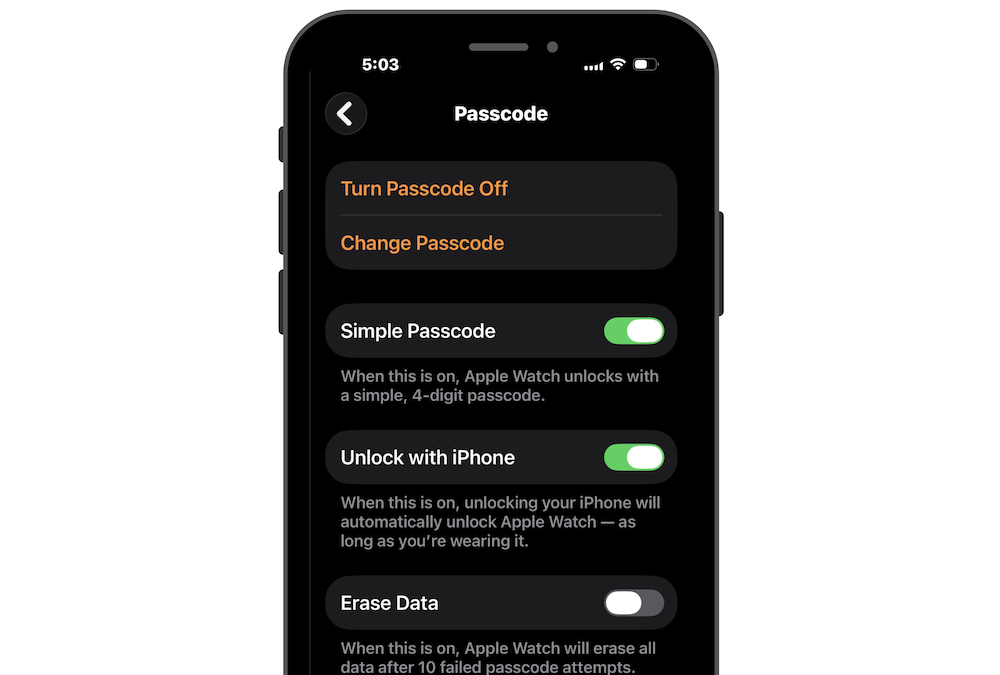
Adding a passcode to your Apple Watch does two important things: it protects your personal information and unlocks powerful features like Apple Pay.
It Keeps Your Information Safe
Your watch holds more than you think — messages, health data, notifications, and access to apps. With a passcode turned on, your watch automatically locks when you take it off your wrist. If it’s lost or picked up by someone else, your data stays protected.
It Enables Apple Pay
Want to tap and pay right from your wrist? Apple Pay on Apple Watch requires a passcode. Once it’s set up, you can double-click the side button and pay in seconds. No phone, no wallet needed.
You Only Enter It Once
Here’s the easy part: you only need to enter your passcode when you first put your watch on. As long as it stays on your wrist, it remains unlocked. Take it off, and it automatically locks again.
Make It Even Easier: Unlock with iPhone
You can also turn on Unlock with iPhone, which automatically unlocks your Apple Watch when you unlock your iPhone. It’s seamless and saves you from typing the code on the small screen.
It takes less than a minute to set up, go to the Apple Watch app > Passcode.