

Mistakes with Unwanted Email
June 16, 2026
Getting Started with AI
July 7, 2026
Have you ever spent several minutes scrolling through your phone trying to find an email, photo, text message, or app? The good news is that your iPhone has powerful search tools that can help you find almost anything in seconds.
One option is to use the iPhone’s global Search feature. Simply swipe down from the middle of your Home Screen and type a word, name, or phrase. Your iPhone will search across:
- Email messages
- Text messages
- Photos
- Contacts
- Apps
- Notes
- Calendar
- Files
For example, if you’re looking for a recipe someone sent you, type “lasagna” and Search may find the email, text message, note, or photo that contains that word.
You can also search within individual apps for even more targeted results:
- Mail: Open the Mail app and tap the Search field at the top of your inbox. Search by sender, subject, or keywords from the message.
- Messages: Open the Messages app and use the Search bar to find conversations, photos, links, or specific words from past text messages.
- Photos: Open the Photos app and tap Search. You can search by people, places, dates, objects, or even words that appear in signs and documents captured in your photos.
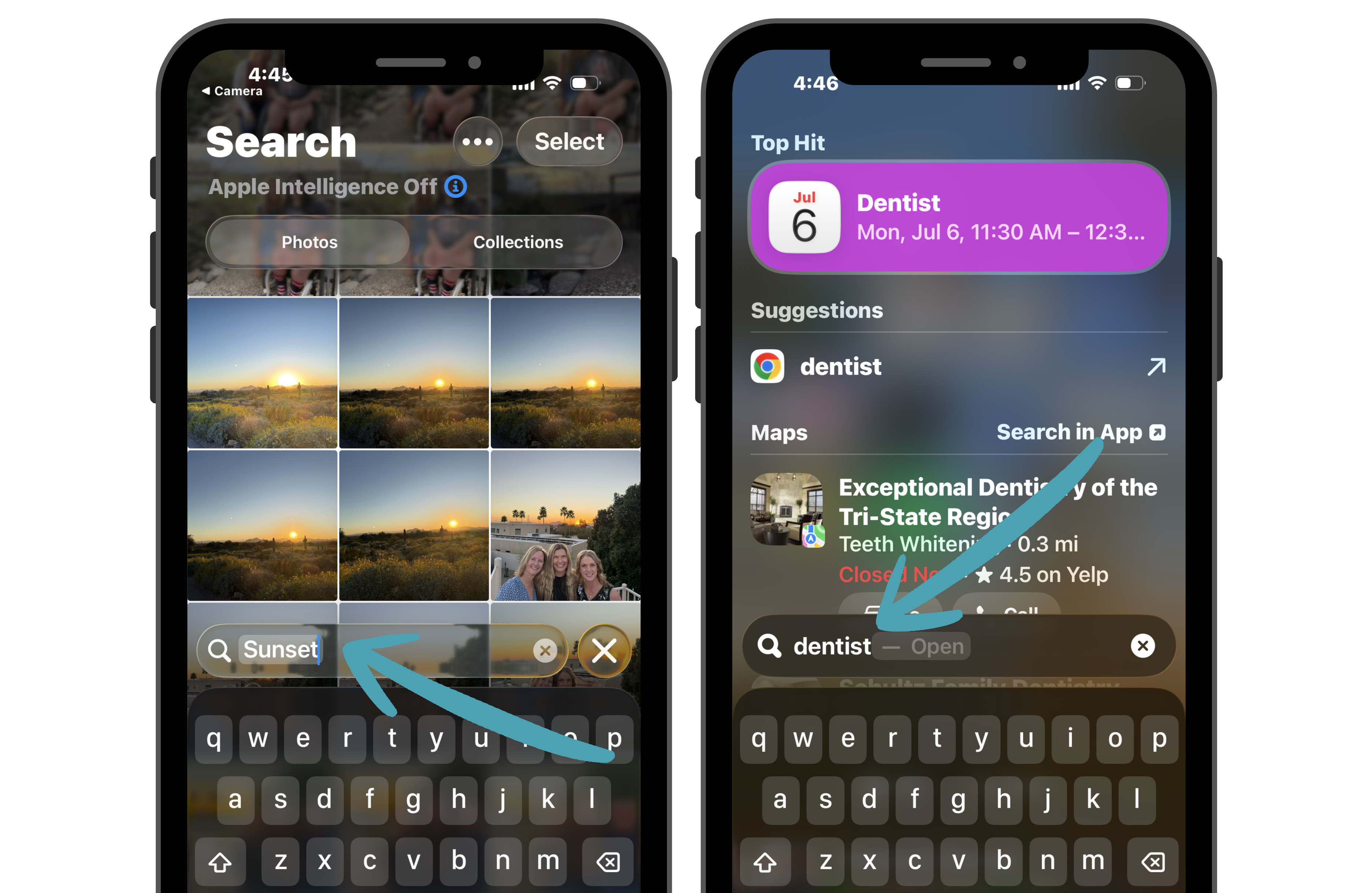
The more you use Search, the more time you’ll save. Instead of trying to remember where something is stored, let your iPhone do the work and find it for you.