

Siri for Accessibility and Safety
June 3, 2026
Use Your iPhone to Track Medications
June 16, 2026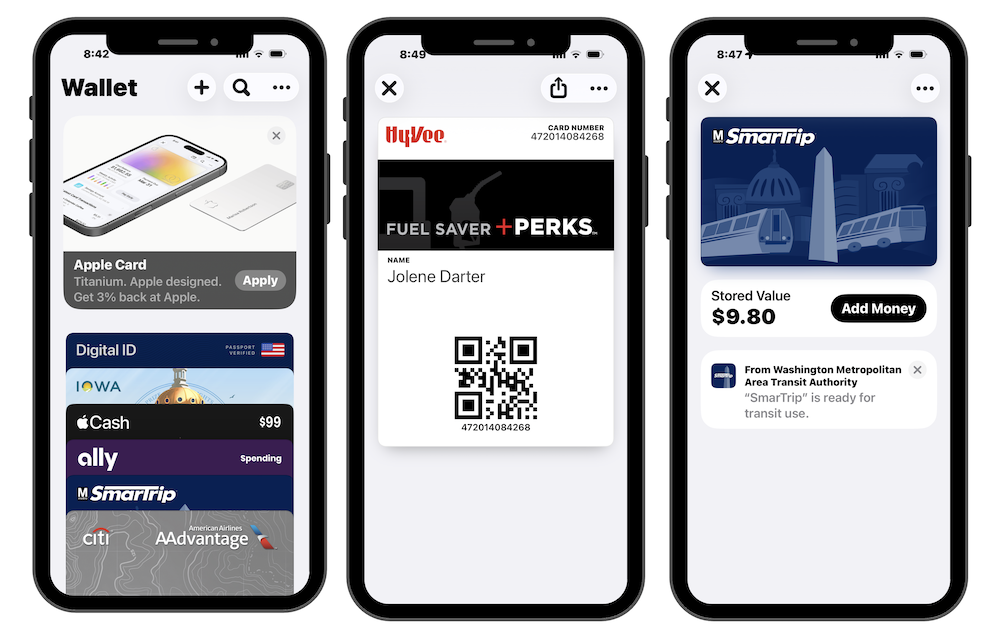
Remember the days of stuffing a wallet with loyalty cards, ticket stubs, and a boarding pass you printed at home? Apple Wallet is an app on your iPhone that can replace nearly all of it — and it’s simpler to use than you might expect.
Wallet is a secure place to store the things you carry every day: payment cards, passes, tickets, and more. Instead of digging through a wallet or searching your bag for a paper ticket, everything lives in one place on your phone.
Apple Pay — Add your credit or debit card to Wallet and you can pay at millions of stores simply by holding your iPhone near the checkout reader. Your actual card number is never shared with the merchant, making it one of the more secure ways to pay.
Apple Cash — A digital spending account built into Wallet. It lets you send and receive money with friends and family through text messages. Any money you receive can be spent anywhere Apple Pay is accepted.
Boarding Passes — When you check in for a flight online, most major airlines will give you the option to add your boarding pass directly to Wallet. When you arrive at the airport, just open the app and show the screen to the gate agent.
Event Tickets — Bought tickets to a concert, sporting event, or theater show? Many ticketing platforms let you add them straight to Wallet. When you arrive at the venue, the ticket is right there on your phone, ready to be scanned.
Transit Cards — In many cities, including New York, London, and Chicago, you can use Wallet to pay for public transportation. Just tap your iPhone on the reader at the subway turnstile or bus door, and the fare is deducted automatically.
Loyalty and Rewards Cards — Those little loyalty cards from your pharmacy, grocery store, or favorite coffee shop? Many of them can be added to Wallet so you never have to carry the physical card again.
Digital ID Cards — In a growing number of U.S. states, you can now store a digital version of your driver’s license or state ID in Wallet. At participating TSA security checkpoints, your iPhone can be used to verify your identity — no need to take out your physical ID. This feature is still expanding to more states, but it’s a glimpse of where things are headed.
And Wallet doesn’t need Wi-Fi or a cell connection to work. Your cards, passes, and tickets are stored securely on your device, so they’re accessible even when your signal isn’t cooperating. It’s one less thing to worry about the next time you’re rushing through an airport or heading into a venue.