

Fraud and Phishing, Again
July 21, 2026
Should You Turn Off Bluetooth and Wi-Fi to Stay Safe?
August 4, 2026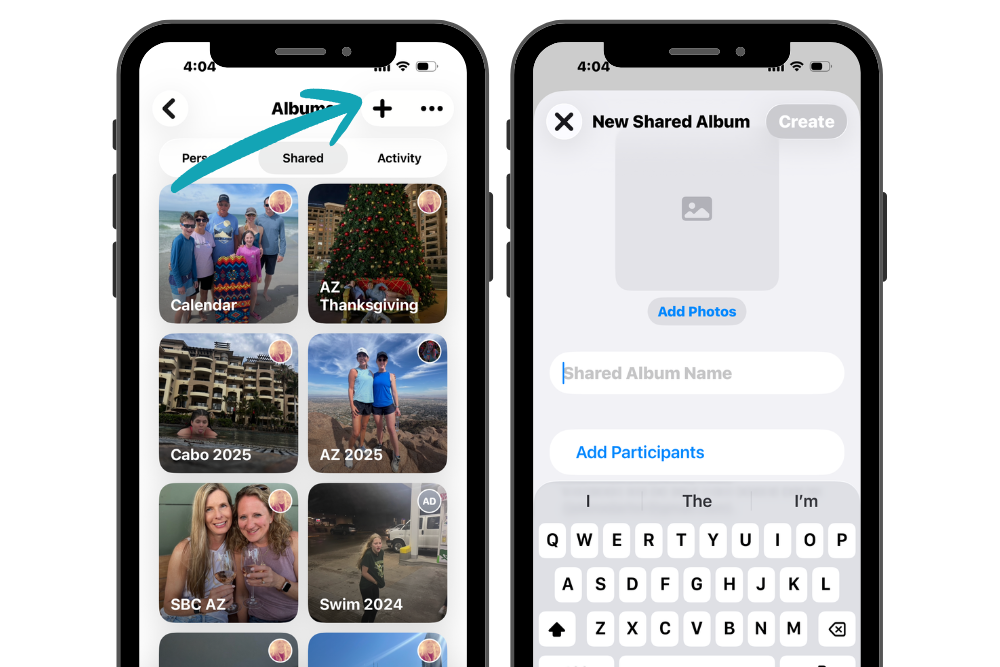
After a vacation, birthday party, or family gathering, everyone seems to have photos, but getting them all in one place can be a challenge.
With Shared Albums on your iPhone, you can create an album, invite family and friends, and everyone can view, like, comment on, and even add their own photos and videos. It’s an easy way to keep everyone’s memories together without texting or emailing dozens of pictures.
Shared Albums are perfect for:
- Family vacations
- Holidays
- Birthday parties
- Weddings
How to create a Shared Album
- Open the Photos app.
- Tap Collections at the bottom.
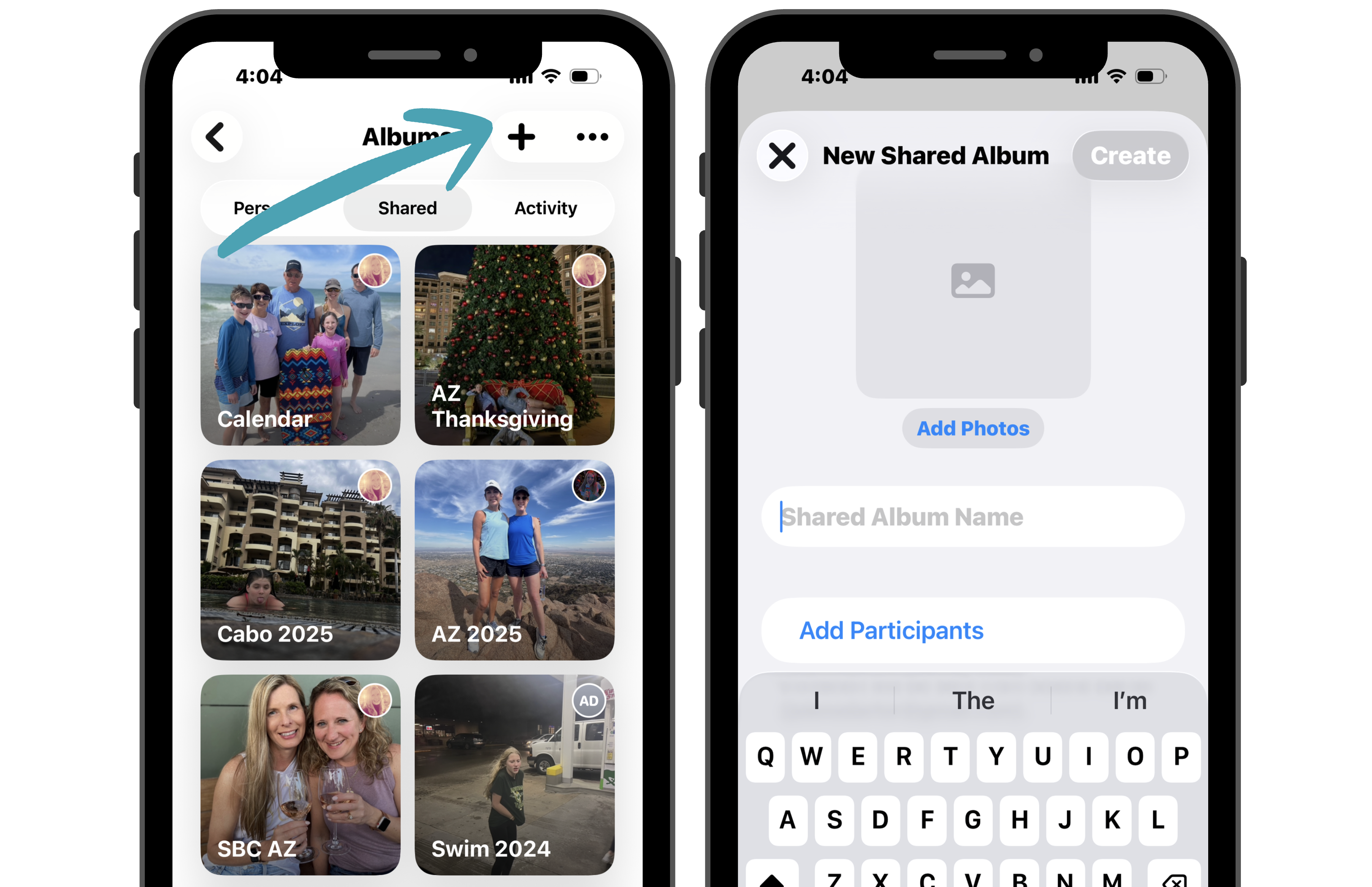
- Tap Albums, tap Shared, and then tap the + button.
- Select New Shared Album.
- Give your album a name and invite the people you’d like to share it with.
- Add your favorite photos and videos.
Everyone you invite can enjoy the album and, if you allow it, contribute their own photos too.
Before you begin, make sure Shared Albums is turned on by going to Settings > Apps > Photos > Shared Albums.